What this session covers
This session goes deeper into stem separation, the feature behind everything else in Moises. By the end, you'll be able to:
- Explain what a stem actually is, and why isolating one changes how you hear a song
- Get stems into Moises two ways: importing a track or recording directly
- Know what's in the core split, and what opens up on Premium and Pro
- Use instruments you don't play to learn more about the one you do
- Export a stem or a custom mix to share, cut up, or bring into a DAW
Understand what a stem is
A stem is simpler than it sounds. Right now, when you listen to a mix, you're hearing every instrument, drums, bass, guitar, keys, vocals, mashed together into the song as you know it. A stem is just one of those pieces isolated out on its own. Nothing technical about it: it's the drum part, or the bass part, or the vocal part, by itself, clear enough that details buried in the full mix suddenly stand out.
How to do it
- Listen to a full mix the way you normally would.
- Then listen to a single isolated instrument from that same song, and notice what you start hearing that you missed before.
Why it matters
If you're a beginner, this means hearing an instrument alone instead of fighting through everything else to find it. If you're advanced, there are details in there you're probably not hearing yet. If you're a working musician, it's the same isolated listening pros do in the studio, now available on any song.
Learn more about this feature
Separate any song into individual instruments
There are two ways to get stems into Moises. Bring in a song, either by importing a file or pasting a link, and Moises separates it automatically. Or record directly into your phone: a voice memo, a band rehearsal, a jam session, anything, and Moises separates that too.
What you get back depends on your plan. Every plan includes the core split: vocals, drums, bass, and everything else grouped together. On Premium, guitar gets its own track, and lead vocals separate from background vocals. On Pro, it goes further still: drums break down into individual instruments, kick, snare, and hi-hat each on their own track, separation runs at the highest possible audio quality, and there's a multimedia option for splitting dialogue, soundtrack, and sound effects, useful if you work in video or film.
How to do it
- Import a song from a file or a link, or record something directly into your phone.
- Let Moises separate it automatically.
- Check what you get based on your plan: core split on every plan, guitar and lead/background vocal splits on Premium, individual drum pieces plus the highest audio quality on Pro.
Why it matters
What you can isolate scales with your plan, so it's worth knowing what's included before you go looking for one specific instrument track.
Want to just separate vocals?
Isolate every instrument to train your ear
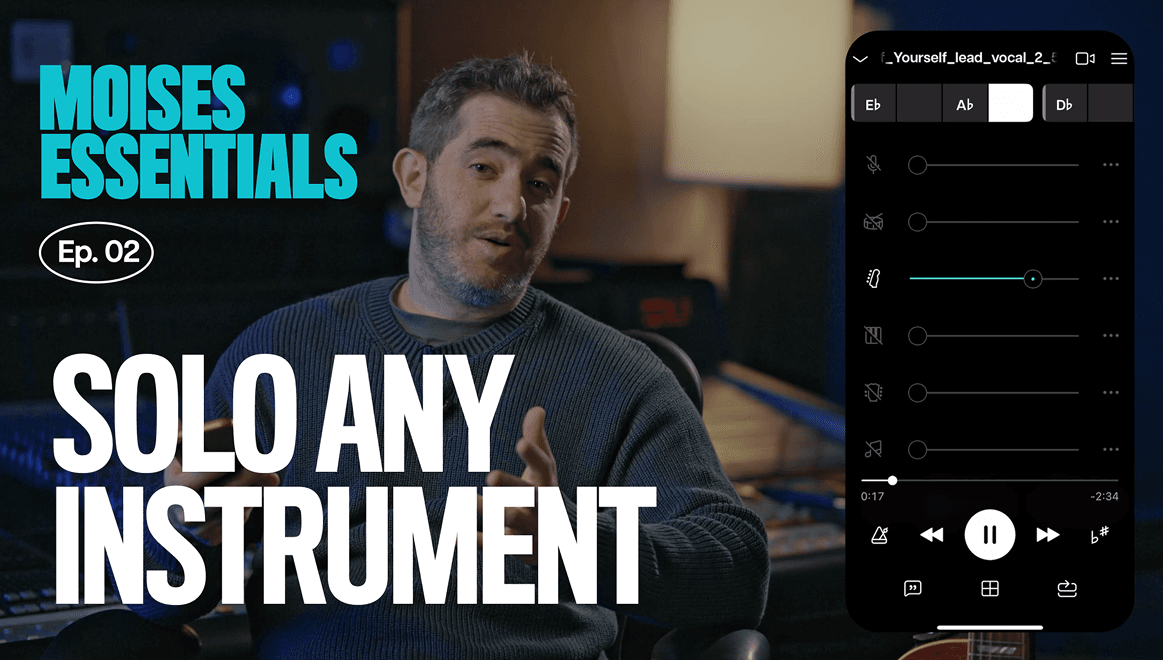
Most people pull in a song and go straight to the stem of the instrument they play. Try the opposite: listen to the stems of the instruments you don't play. You can learn a lot about your own part by listening to everyone else's, in isolation. A vocal stem on its own can reveal harmonies that are hard to pick out when the full song is playing. An isolated bass makes note cutoffs audible, details the snare usually covers up in the full mix.
With a Pro account, you can go a layer deeper into the drums themselves, kick, snare, and hi-hat each isolated, so a drummer can study one piece at a time, and a non-drummer can hear exactly how the bass and kick interact, or how the hi-hat sits with the vocal.
How to do it
- Solo the stem of an instrument you don't play, not just the one you do.
- Listen for details that get buried in the full mix, like harmonies or exact note cutoffs.
- With a Pro account, go a layer deeper into individual drum pieces, kick, snare, and hi-hat, on their own.
Why it matters
Hearing what everyone else is playing, in isolation, teaches you more about how your own part fits the song than only ever listening to your own stem.
Once a song is separated, you can take the stems outside the app. Export any single stem, or any custom mix you've built. On your phone, you get MP3 or M4A, good for sending something quickly to a bandmate or a friend.
If you need full-resolution, lossless audio, that's available through the desktop app with a Pro account. And if you're a producer who wants to bring stems into a DAW, Moises has a Pro plugin that brings the files directly into your DAW project.
How to do it
- Export a single stem or a custom mix you've built.
- Use MP3 or M4A on your phone for a quick share.
- Use the desktop app with a Pro account for full-resolution lossless files, or the Pro plugin to bring stems straight into your DAW.
Why it matters
That's the whole point of stem separation: one song broken into pieces clear enough to hear something new, chop up into something different, or practice with until it's second nature.
Learn more