What this episode covers
By the end, you'll be able to:
- See a song's chords update automatically and in real time, detected from the recording itself
- Switch between easy, medium, and advanced chord detail depending on how deep you want to go
- Find a song's key at a glance, then shift it up or down with the chords following automatically
- Watch synced lyrics and chords update together, line by line, as the song plays
Open the chord display
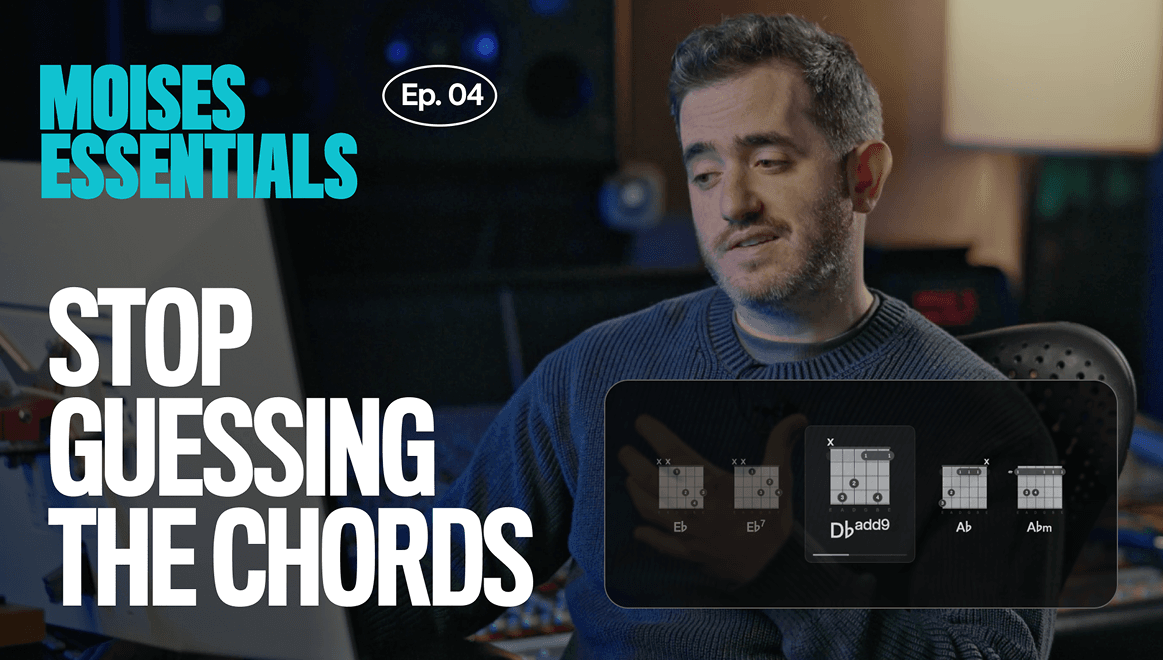
Load any song and the chords appear automatically. These aren't pulled from an online database, they're detected directly from the actual recording, and they update in real time, bar by bar, as the song changes.
How to do it
- Open a track that has already been processed in your library.
- Open the chord display below the player.
- Play the track and watch the chord names scroll in sync.
Why it matters
These chords aren't looked up online, they're detected straight from the recording, so what you see is what's actually playing.
Learn more about this feature
Switch chord detail levels
Chord names can be shown in a simpler form or with more harmonic detail, depending on your level and what the song calls for.
How to do it
- Open the chord display settings.
- Switch between easy, intermediate, and advanced based on your level and the song genre.
- Press play again and see the more advanced chords appear in real time.
Why it matters
Simplified chord names are easier to follow for beginners, while detailed names give more information for a player who wants to see the full voicing.
Find the key and change it instantly
Before changing anything, it helps to know where you already are. Any song loaded into Moises shows its key, the anchor that tells you which scale and which notes belong in the song.
From there, shift the key up or down and the whole song follows: the sound changes, the chords change, everything transposes automatically. One song, any key, and the chords come with it.
How to do it
- Look at the key indicator. In the mobile app, it will be on the right and look like a b/# icon. In the desktop app, it will appear next to the song tempo.
- Click the + or - to shift the key up or down.
- Listen as the whole song, chords included, transposes automatically to match.
Why it matters
Singers can change the key to sing a song in whatever key actually fits their voice. Guitarists can find open-chord positions or a different way to play the same song. Producers can use it to shift the entire energy of a track and land on a different mood.
Learn more about this feature
See lyrics and chords together as the song plays
Moises transcribes a song's lyrics and displays them in time with playback, alongside the chord and key information.
How to do it
- Turn on lyrics alongside the chord view.
- Watch chords and lyrics update together in real time as the song plays.
- Use the precise timing to see exactly where a chord change lands relative to the vocal.
Why it matters
Chords and lyrics together give the full harmonic picture: every chord, every key, every lyric, updating together in real time.
Learn more about this feature