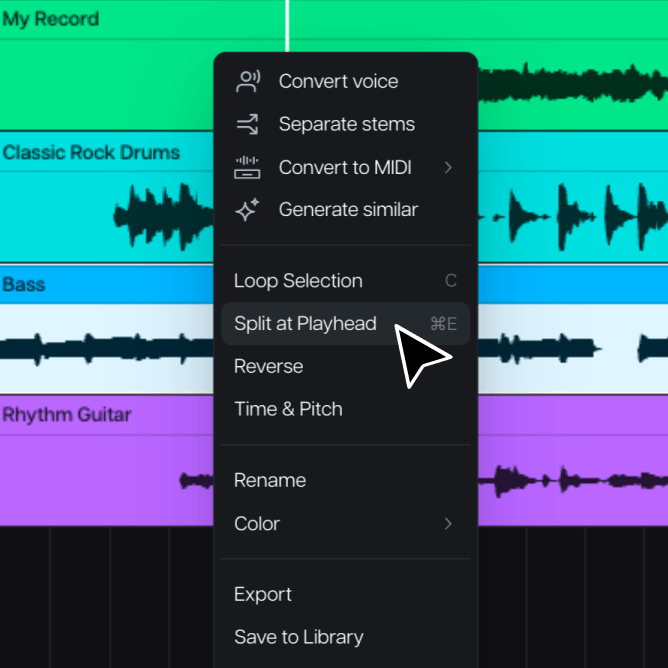
Cut, Split & Trim
Every edit is one move away
Split at the playhead, trim by dragging an edge, copy a part, reverse it, loop it, fade it in or out. Simple editing controls that let you spend more time making music instead of studying a manual.
Introducing Moises Studio: The simplest way to make music togetherIntroducing Moises Studio: The simplest way to make music together
Where parts become a song
Cut, move, loop, and fine-tune every track in Moises Studio, in the same session where you separated and created them. No complex DAW, no lost momentum.
How it works
Start fresh or import your own tracks. Every file you bring in and every stem you generate loads straight into the arrangement timeline.
Split a part at the playhead, drag it where the song wants it, copy what works, and delete what doesn't. Your original audio is never touched.
Loop a section while you shape it, fade parts in and out, and export the finished arrangement, ready to mix or share.
Edit it, map it, keep every take. Every move is quick, and nothing you do is permanent.
Split at the playhead, trim by dragging an edge, copy a part, reverse it, loop it, fade it in or out. Simple editing controls that let you spend more time making music instead of studying a manual.
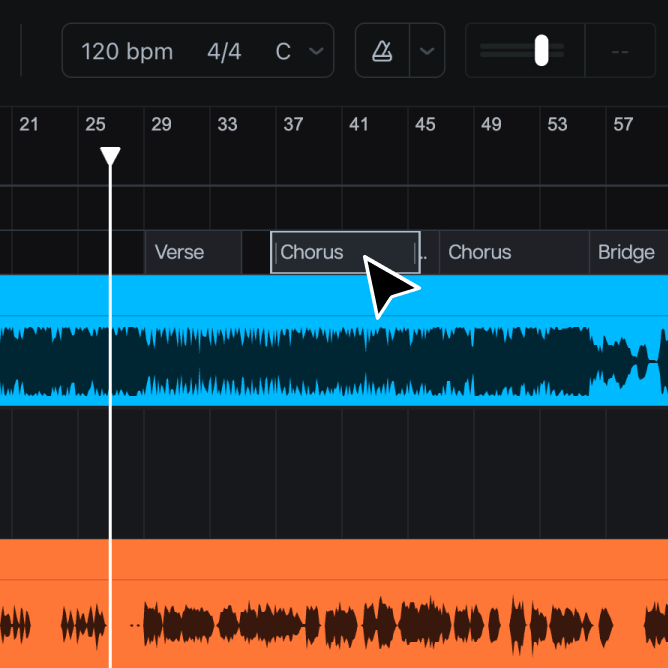
Mark the verse, the chorus, the breakdown, and every chord change, so the structure is right there while you work. Or let AI auto-detect fill them in, on your own production or on a song you're pulling apart.
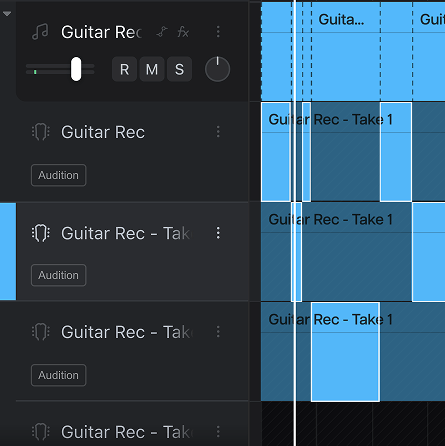
Every pass you record gets its own lane, audio or MIDI, with nothing overwritten. Pull the best phrase from take three, the ending from take six, and comp them into one take that sounds like you nailed it.
Why Moises
Most ideas die in the move between apps. In Moises Studio, the parts you separate, create, and record are already on the timeline, so the arrangement starts the second the idea does.
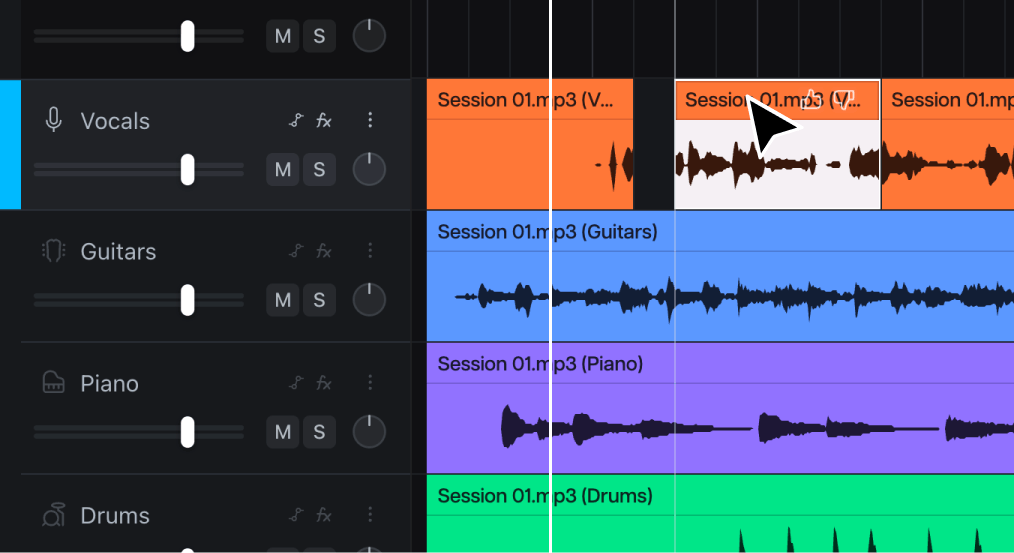
Open any part in the waveform editor to fine-tune a cut, crop a take, or mute a stray noise. Depth that appears only when you ask for it.
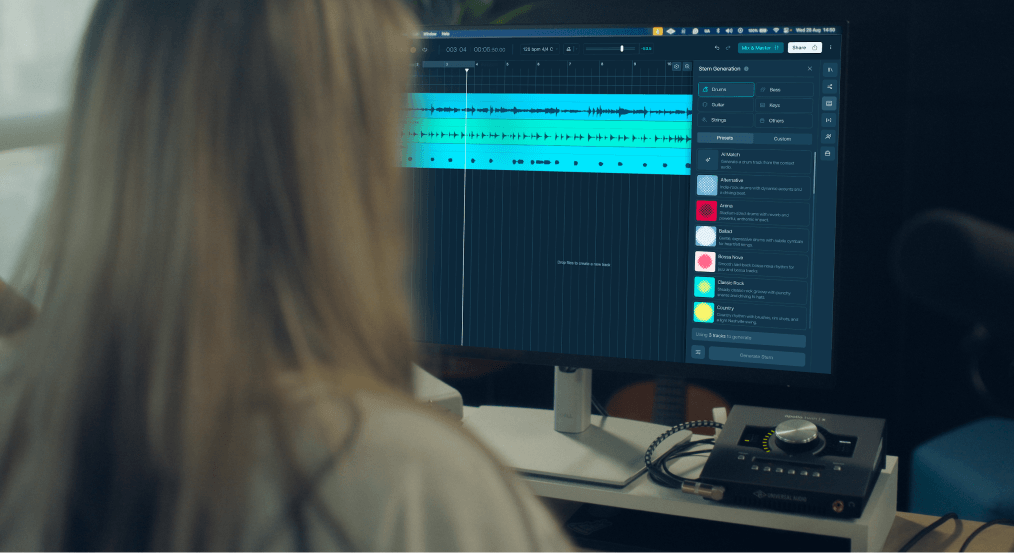
No plugins, no routing, no audio interface. Open the session, and the first edit is one click away, on web or desktop.
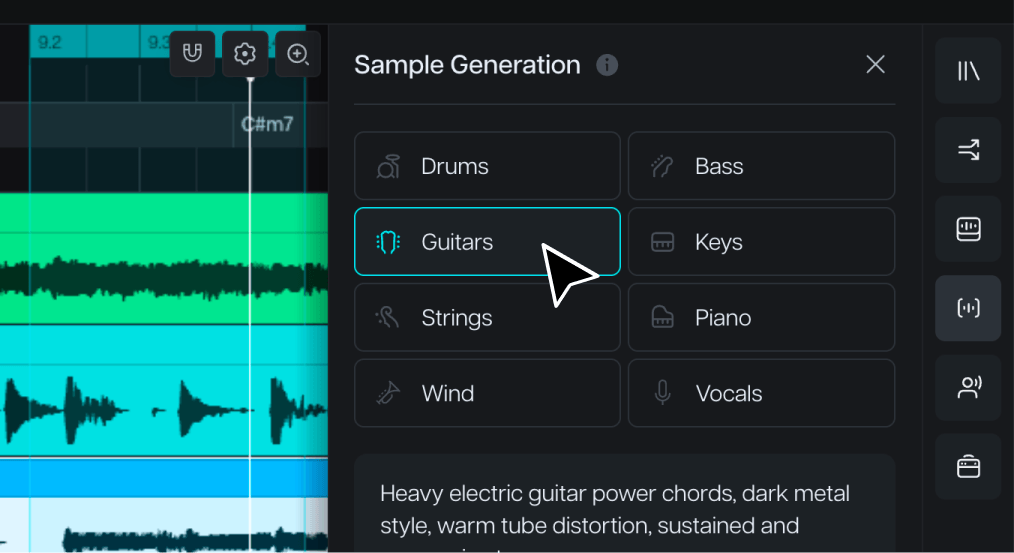
Edit generated stems the same way you edit your own recordings. Stem Generation, Voice Conversion, and your uploads all live on the same timeline, ready to arrange.

Moises never trains on your recordings. What you make here belongs to you, always.

“I’ve been using Moises in my own creative process for years. It’s here to help artists learn, explore, and bring their ideas to life.”

“It's a product that I've waited for my whole life. It would have made my life a lot easier if Moises had been around for 15, 10 years.”

“I find myself using Moises in creative ways, generating stems and making bass parts, while I'm trying to write a song in its infant stage.”
Yes, Moises Studio includes Real-Time Collaboration. Anyone you add as a collaborator can join you in the session from anywhere in the world.
Editing and Track Arrangement features are available in Moises Studio, which runs in most major browsers and as a desktop application for both Mac and PC. Moises Studio is not available for mobile.
Yes, Moises Studio lets you export as an Ableton Live Set or DAWproject file, for users looking to finish up their tracks in a DAW.
Yes, you can easily convert your audio to MIDI, and then edit it yourself to match your vision.