The short answer
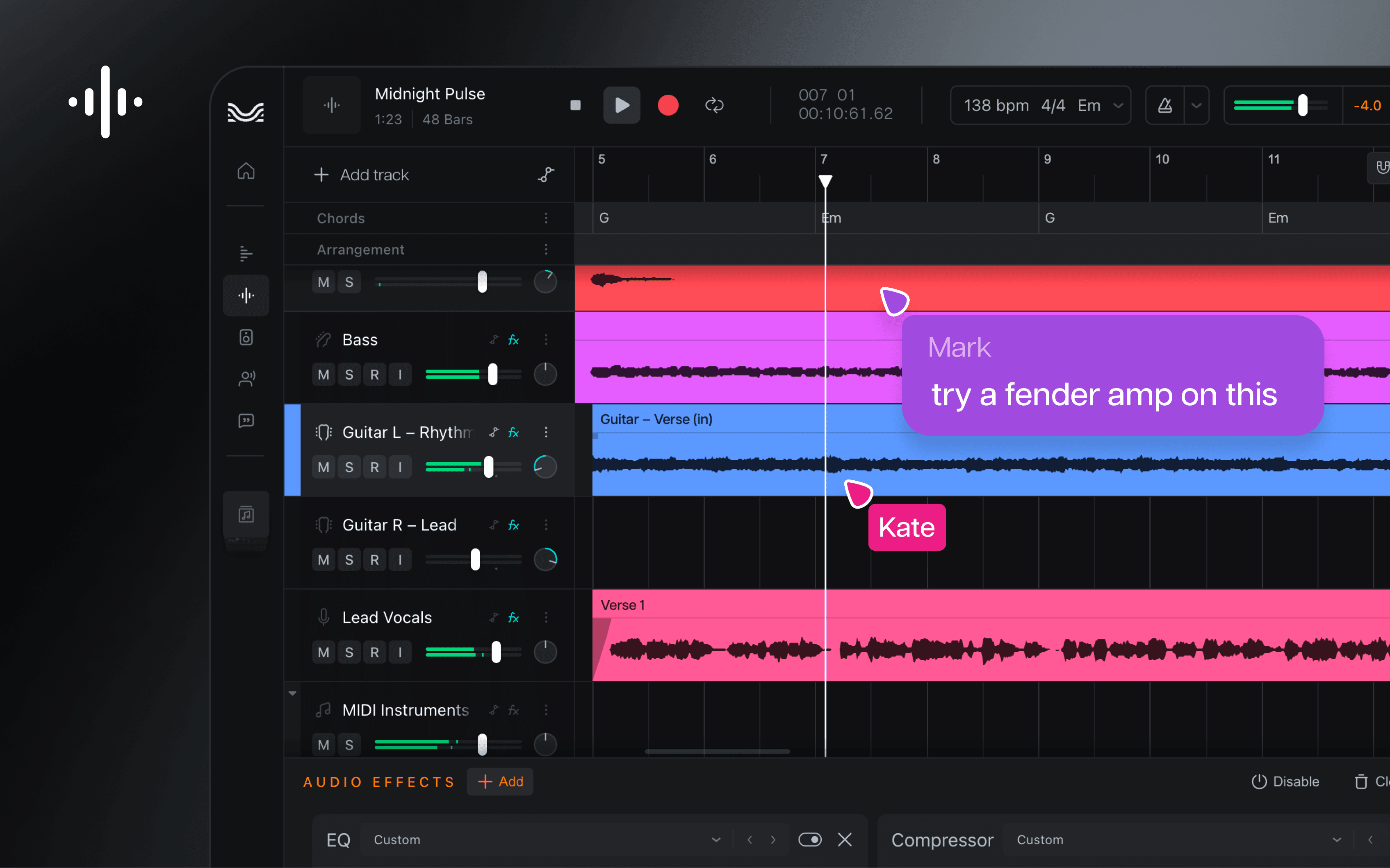
Moises Studio is built for musicians working together in real time, with a focus on AI as a tool rather than a replacement. Splice is a sandbox for new producers experimenting with samples on a Mac.
Choose Moises Studio if you…
- Play and write with a band or co-writers in real time, in the same session
- Want more than just a DAW: your Moises subscription also includes Moises Play on mobile, web, and desktop, with practice and performance features in addition to what’s in Studio
- Want access to top-tier AI tools, like world-class stem separation, audio-to-MIDI conversion, voice conversion, and the ability to generate parts that match the tempo, key, and vibe of your music
Choose Splice Create if you…
- Are new to production and want a sandbox for experimenting
- Want millions of Splice samples inside your DAW without downloading a plugin
- Work on a Mac and like controlling your DAW by voice or text
At a glance
| Moises Studio | Splice Create | |
|---|---|---|
| Built for | Musicians and producers looking to make music together, with ethical AI as a tool, never a replacement | A creative sandbox built around samples, for people learning as they go |
| Recording | Multi-track audio and MIDI, with take lanes and comping | Audio and MIDI, with loop recording, take folders, and comping |
| Collaboration | Real-time co-editing with live cursors and comments; guests can join free | Not mentioned on Splice’s page |
| AI models | Hi-Fi stem separation (27 stem types), context-aware parts that fit your song, and voice conversion | Stem separation into 4 stems (vocals, drums, bass, and melodic instruments), audio-to-MIDI, and sample Variations. Splice says Assist doesn’t generate new sounds. |
| AI assistant | Moi runs Studio tools from plain-language requests, suggests the next move, and walks you through any step | Assist does tasks and Point teaches the steps, by voice or text |
| Instruments and sounds | 200+ presets, 18 effects, 700,000+ amp and pedal models, and VST3 on desktop | Millions of Splice samples, Splice INSTRUMENT, and 130+ rent-to-own plugins |
| Mixing and mastering | Auto-mix in 20 genre styles and a one-click master | Handles EQ and compression on request. Mastering isn’t mentioned. |
| Handoff to your DAW | Stems, DAWproject, and Ableton Live Set | WAV mix and stems, and it opens in Ableton Live |
| Where it runs | In your browser, plus a desktop app for Windows and macOS | macOS 12 or later, in beta. Windows and web are planned. |
| Price to start | Free to start. Included in your existing Moises subscription if you already use Moises Play for practice. Pricing varies by region. | App is free to start, but exporting requires a paid Splice plan. Create Pro is $9.99 a month at introductory pricing. |
From both public product pages and FAQs, and Splice’s Help Center, last updated 11/19/2026.
See it in action
Moises Studio listens to your project, then does the work on your timeline. Describe the result in plain words: find the key, add a bass that follows the chords, fix the clipping. Moi chooses the tools, puts the result in your session, and suggests the next move.
Which is better for…
Which is better for AI tools?
Edge: Moises Studio. Stem separation in Splice Create separates only 4 stems (vocals, drums, bass, and melodic instruments). With a Pro subscription, Moises Studio offers Hi-Fi stem separation for 27 different stem types, down to a single snare. Moises stem generation is also context-aware. It listens to your music and helps you make supporting parts that match the key, tempo, and genre of your project.
Which is better for making music with a band?
Edge: Moises Studio. Studio is built for collaboration. Your bandmates join from a link, then record and edit on the same timeline with live cursors and comments. Splice’s page mentions no tools for live collaboration.
Which is better for learning as you go?
Edge: Tie. Both DAWs can help teach you as you go. Splice’s built-in assistant walks you through techniques step by step, inside your session. Moi does the same. If you ask how something works, it breaks the steps down in plain language, based on everything that is currently in your timeline. Learn more about Moi.
Which has the bigger sample library?
Edge: Splice Create. Splice puts millions of human-made, royalty-free samples inside the app. Moises Studio can help you generate new samples, but it is not connected to any existing sample library. You would need to install a plugin or export to a traditional DAW.
Where Splice Create might be a good fit
- You want the Splice catalog inside your DAW without installing a plugin. This includes millions of human-made, royalty-free samples.
- You like talking to your DAW. Splice Create supports voice and text control.
- You want a market for owning plugins over time. Splice offers 130+ rent-to-own tools with interest-free monthly payments.
- You want familiar shortcuts. Splice offers presets for Ableton, Logic, Bitwig, and Pro Tools.
Love Splice’s catalog? Keep it for samples, and use Moises Studio for recording, stems, and playing with your band.
Frequently asked questions
Is Splice Create free?
Splice lists the Create app as free with no time limit, but its FAQ says you need a subscription to export projects and license Splice samples. Create Pro is $9.99 a month at introductory pricing. Moises Studio is free to start, in your browser, and your bandmates join your session without a paid plan. If you already pay for Moises Play for practice, the paid version of Moises Studio is included in your existing subscription.
Can I record real instruments in Moises Studio?
Yes. Arm as many tracks as you need and record the whole band at once, audio or MIDI, with take lanes and comping.
Does Splice Create generate music?
Splice says Assist doesn’t generate new sounds. It searches the Splice catalog for human-made samples, writes MIDI patterns, and works with variations. Moises Studio generates editable stems, parts, and samples built around your project’s key, tempo, and feel, and every generated part stays editable.
Does Moises Studio replace my DAW?
Not unless you want it to. Use Studio on its own, or use it alongside your DAW. Record, collaborate, and get close to a finished mix in Studio, then export stems, DAWproject files, or an Ableton Live Set to finish in your DAW. It’s up to you.
Can I use my own plugins?
Yes, in both. Studio’s desktop app loads your VST3 plugins. Splice Create works with the plugins you own and your own sample folders.
Is Splice Create available on Windows?
Not yet. Splice lists macOS 12 or later in beta, with Windows and web coming soon (re-check on the publish date). Moises Studio runs in most major browsers and has a desktop app for Windows and macOS.
Does Moises train its models on my audio?
No. Your audio is used only for your session, and shared models are never trained on your data. Moises trains its models only on licensed materials.