1. Pobierz wtyczkę
Zalogowany na swoje konto Moises z subskrypcją Pro za pośrednictwem aplikacji na komputer, kliknij „Wtyczki” na pasku bocznym. Pobierz wtyczkę Stems, dostępną dla MacOS lub Windows.
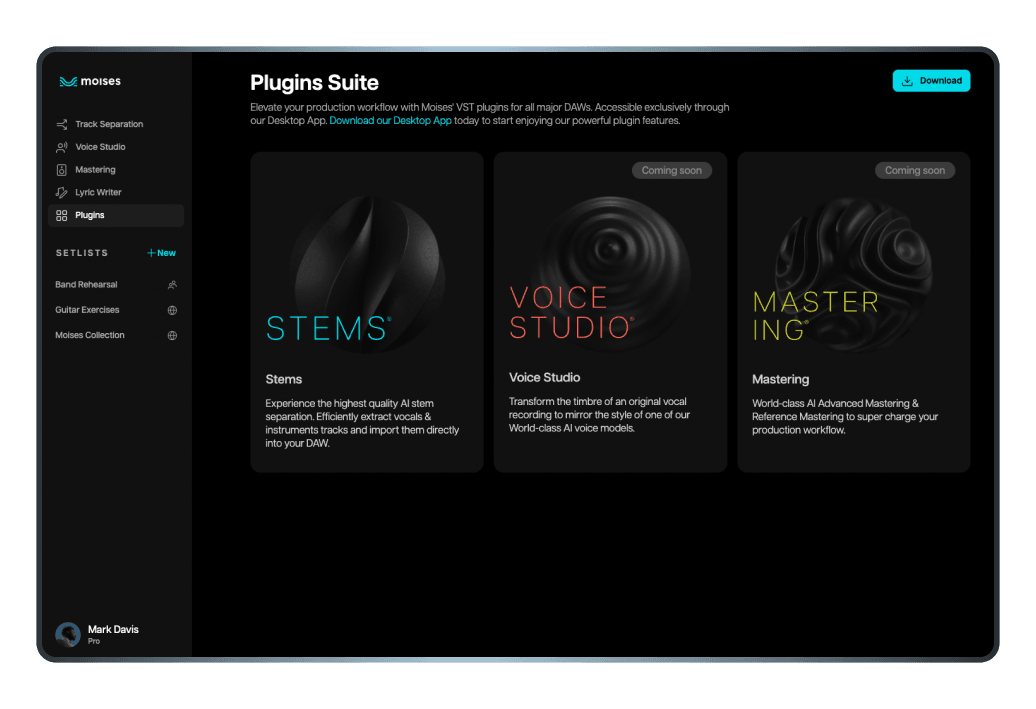
Efektywność w twoim procesie twórczym jest najważniejsza - a Moises o tym wie. Intuicyjnie twórz wysokiej jakości próbki za pomocą separacji dźwięku zasilanej przez AI bezpośrednio z twojej cyfrowej stacji roboczej audio (DAW). Zapisz cenny czas i optymalizuj swoją rutynę studyjną dzięki naszej innowacyjnej wtyczce VST.
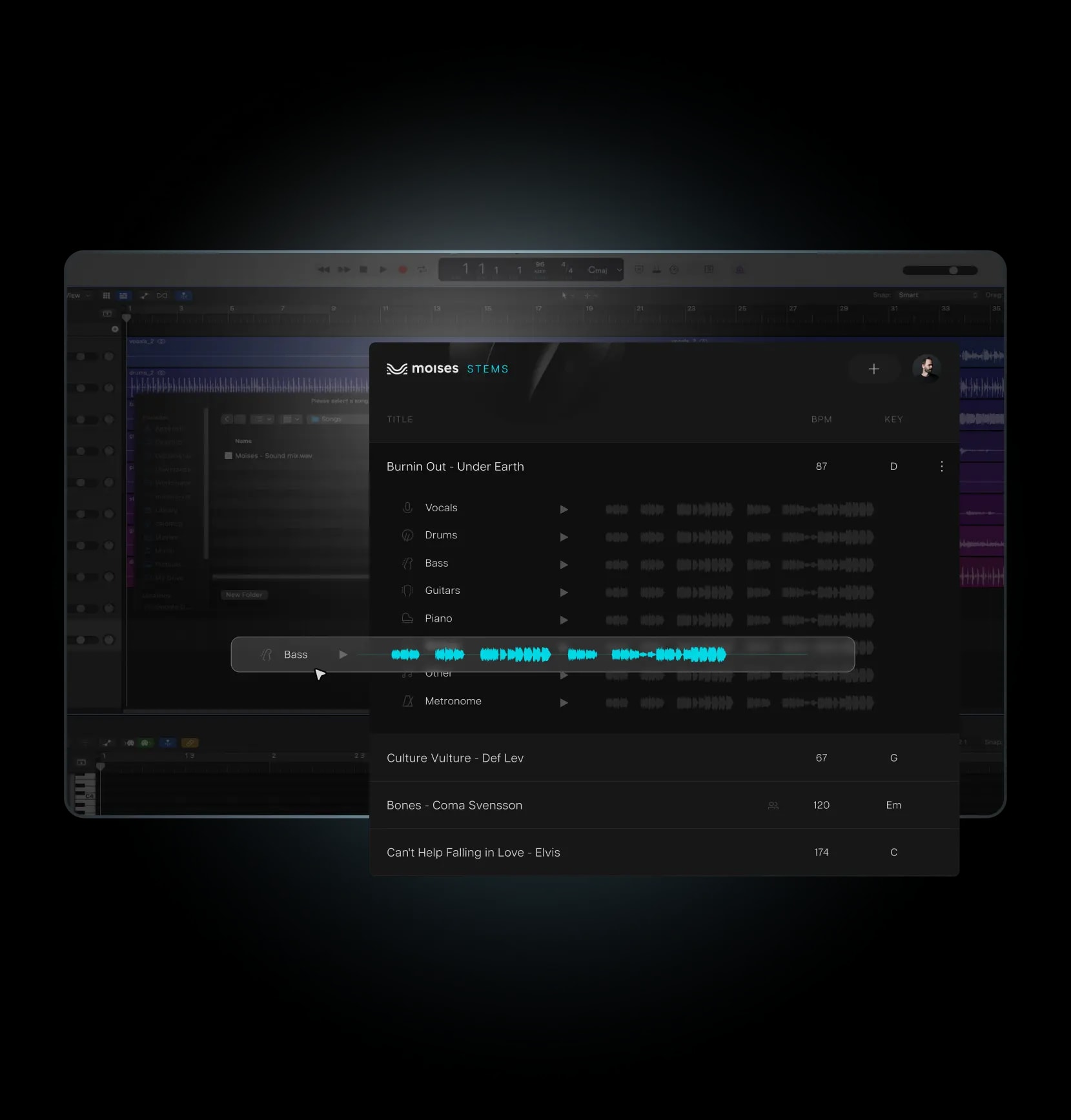
Bezproblemowo zintegruj wtyczkę i stwórz próbki w ciągu kilku minut.
Zalogowany na swoje konto Moises z subskrypcją Pro za pośrednictwem aplikacji na komputer, kliknij „Wtyczki” na pasku bocznym. Pobierz wtyczkę Stems, dostępną dla MacOS lub Windows.
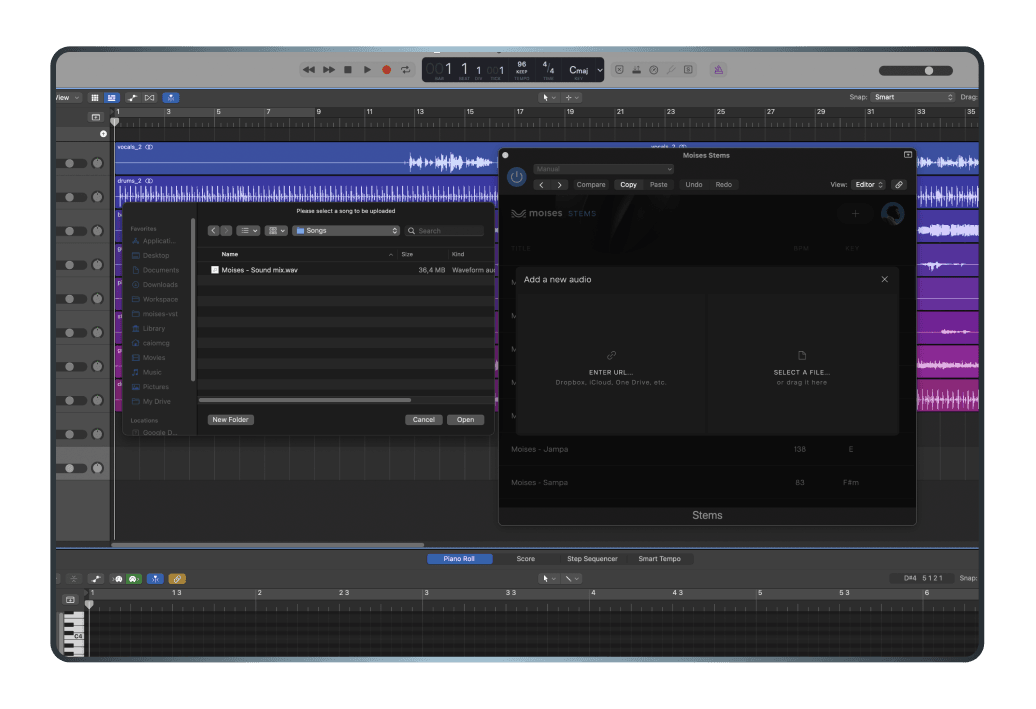
Otwórz swoje DAW i utwórz nową ścieżkę audio. Przejdź do menu wtyczek i wybierz Moises > Stem.
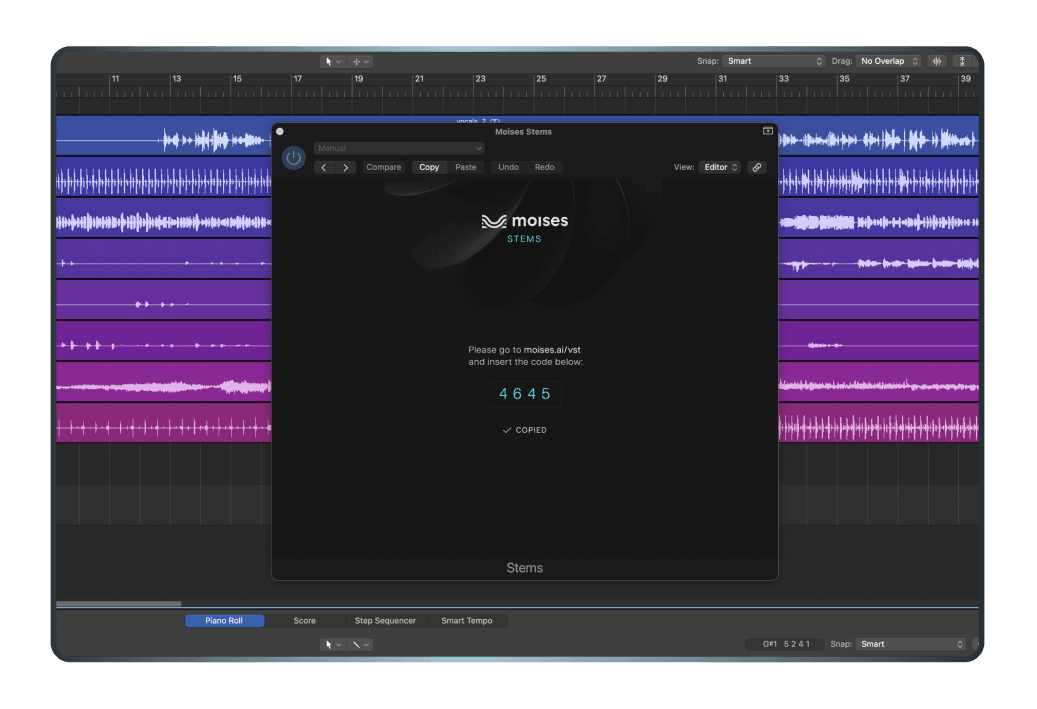
Po wybraniu Wtyczki Stems, ekran walidacji kodu poprosi o uwierzytelnienie. Postępuj zgodnie z podanymi instrukcjami, aby zweryfikować swoją wtyczkę.
Z załadowaną wtyczką na twojej instrumentalnej ścieżce, możesz teraz manipulować stemami w twojej ścieżce za pomocą interfejsu wtyczki. Zapisz swój projekt, aby zachować zmiany. Możesz teraz zintegrować przetworzone stemy do swojego projektu DAW w celu dalszej produkcji lub miksowania.
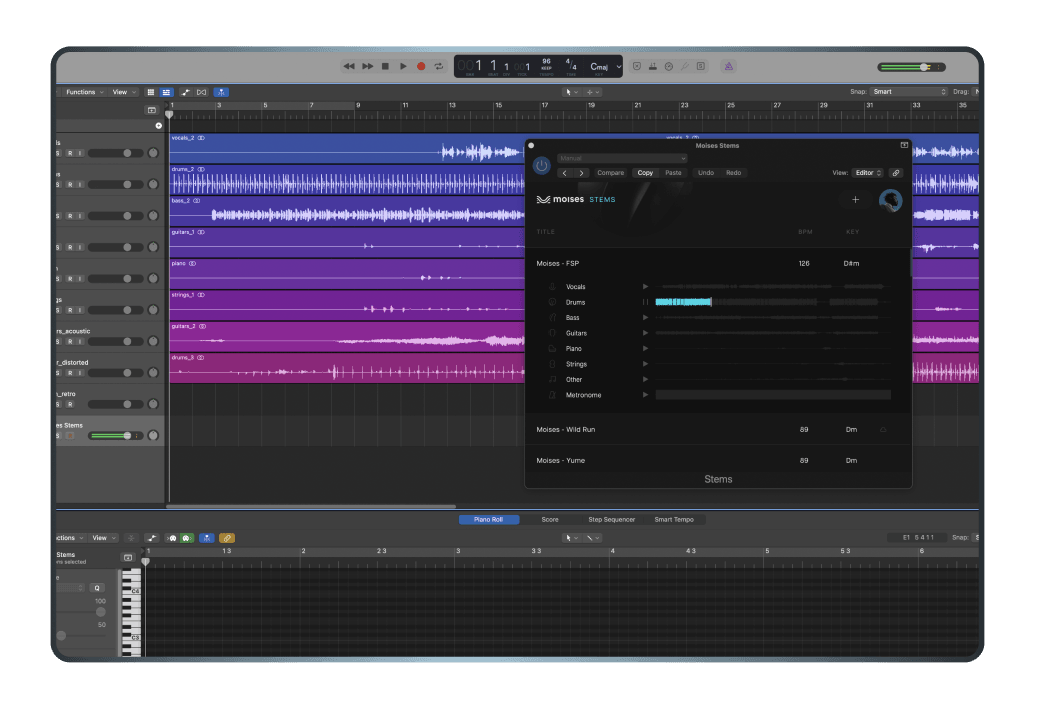
Osiągnij najlepszy możliwy dźwięk dzięki technologii separacji audio Hi-Fi zasilanej przez AI, dostarczającą krystalicznie czyste wokale i instrumenty.
Uwolnij swoją kreatywność od wcześniejszych ograniczeń. Ten przyjazny dla użytkownika plugin pozwala oddzielać ścieżki w twoim DAW, za pomocą przeciągnij i upuść lub URL.
Zainstaluj Wtyczkę Stems tak jak inne wtyczki VST, za pomocą prostego i przejrzystego procesu.

O wiele więcej niż narzędzie do separacji ścieżek: potężna wtyczka VST, która może zwiększyć twoją produktywność i kreatywność na wiele sposobów.
Zyskaj dostęp do wszystkich 7 przetworzonych naraz stemów, w tym wokali, klawiszy, perkusji, gitary, basu, strun i innych, dla maksymalnej elastyczności i kontroli.
Użyj Wtyczki Stems z dowolnym głównym DAW, takim jak Pro Tools, Ableton Live, Logic Pro, Reaper, Studio One, Fruity Loops i wiele innych.
Zapisz pieniądze i zasoby, korzystając z Wtyczki Stems wraz z innymi ekskluzywnymi funkcjami dla producentów.


Nagradzany producent muzyczny i DJ z Nigerii
Producent i twórca treści z internetowym zespołem o liczbie obserwujących przekraczającej 300k


Producent i twórca treści z ponad 2 milionami wyświetleń na YouTube
Wtyczka VST Stems umożliwia muzykom korzystanie z wysokiej jakości technologii separacji stemów dostępnej na platformie Moises bezpośrednio w ich ulubionym programie DAW — wystarczy pobrać wtyczkę.
Wtyczka Moises Stems działa ze wszystkimi głównymi programami DAW, w tym Ableton Live, Pro Tools, Logic Pro, Reaper, Fender Studio Pro i FL Studio.
Wtyczka Stems oferuje do 7 różnych typów stemów: wokal, klawisze, perkusja, gitara, bas, smyczki i inne.
Postępuj zgodnie z tym krótkim przewodnikiem w centrum pomocy Moises, aby zainstalować wtyczkę Stems i inne wtyczki Moises w swoim programie DAW.
Znajdziesz tam także przewodniki dotyczące korzystania z wtyczek Moises w kilku popularnych programach DAW, w tym Ableton Live, Pro Tools, Logic Pro i Reaper.
Tak. Aby uzyskać dostęp do wtyczek Moises DAW, potrzebujesz subskrypcji Moises Pro.
Nie, wtyczka Moises Stems nie jest separatorem stemów działającym w czasie rzeczywistym. Między wysłaniem żądania separacji a otrzymaniem odseparowanych stemów występuje pewne opóźnienie. Wtyczka wymaga również aktywnego połączenia z Internetem. Dzięki temu możliwa jest najwyższa jakość separacji. Jeśli chcesz korzystać z separacji stemów w czasie rzeczywistym — na przykład do celów dostępności lub podczas występów na żywo — rozważ skorzystanie z Moises Live.
Wtyczka Moises Stems i aplikacja desktopowa obsługują importowanie wszystkich głównych formatów audio.
Obsługiwane formaty importu:
- Bezstratne: WAV, FLAC, AIFF (aif), AIFC
- Skompresowane: MP3, AAC, AC3, OGG, WMA
- Wideo (z wyodrębnionym dźwiękiem): MP4, M4V, MOV, MKV, M4R, M4A, FLV, MPEG (MPG), WEBM
Tak. Możesz łatwo przeciągać poszczególne stemy bezpośrednio z wtyczki Moises Stems do osi czasu projektu w swoim DAW. Jeśli wolisz wyeksportować je jako pliki audio, które ręcznie dodasz do swoich sesji, możesz też pobrać odseparowane stemy jako folder ZIP z desktopowej lub webowej aplikacji Moises.
Jak eksportować stemy przy użyciu wtyczki:
1. Ustaw BPM w swoim DAW: przed importem upewnij się, że tempo projektu odpowiada BPM piosenki.
2. Otwórz wtyczkę: załaduj wtyczkę Moises Stems na ścieżkę audio w swoim DAW.
3. Przeciągnij i upuść: zsynchronizuj swoje konto Moises z wtyczką, a następnie przeciągnij wybrane stemy bezpośrednio do osi czasu projektu w swoim DAW.